

Igor Ljubuncic
17 October 2019
Snaptastic – elementary OS snap manager
An interesting aspect in the life of any technology is how it propagates. Like organisms in nature, technology follows evolutionary patterns, and sometimes, it can be difficult predicting them. But their observation can be quite telling. Case in point, Snaptastic on elementary OS.
Snaptastic is a graphical snap manager utility, available in the elementary AppCenter, designed to aid the users of this distribution in getting the software that might not be available through standard repository channels.
Installation and use
You can grab Snaptastic through AppCenter. In the background, this action will also configure the snapd service, which is not installed and enabled by default in elementary OS. Once you launch the application, you can then start managing snaps. This way, Snaptastic offers frontend functionality for elementary OS users who want applications provided in the Snap Store, not provided by default elementary OS repos, and prefer a store application that fits the elementary design ethos.
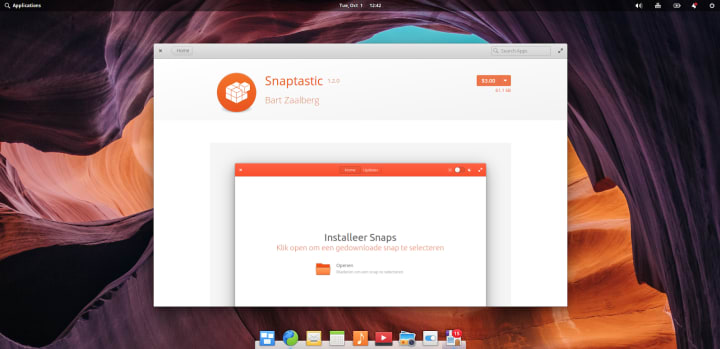
At the moment, Snaptastic requires that you manually download snap files, which could be somewhat inconvenient for users who expect a full GUI experience, but Snaptastic is a new software, and additional features are likely to be added in the future. You can download snaps in a terminal windows by running the snap download “snap name” command. Then, you can use the application’s main interface to locate and install the packages.

After a snap is installed, it will be shown in the main interface – including any available updates. If you click on any individual snap, you can start the application, manually check for updates remove the package. Advanced settings allow you to tweak Snaptastic functionality to handle snap URL links, too.


Looking ahead
Snaptastic offers elementary OS users with an easy way to manage their snaps. There’s some functionality missing, though. For example, it would be really nice if the utility could query the Snap Store directly and allows users to search as well as install snaps without the interim manual download step. Moreover, showing screenshots and videos of applications (those that have them) would make the available software even more attractive to end users. Either way, it will be quite interesting to see how Snaptastic evolves.
If you have any comments or feedback, please join our forum for a discussion.
Photo by Mike Enerio on Unsplash.


